Shopify volume discount app: how to choose one for tiered pricing
A volume discount app shows 'buy more, pay less per item' on the product page and makes sure the right price reaches checkout. Most apps can do that. The differences are in how you set the price, where it shows and what it costs as you grow.
If you only want the setup steps, read How to add quantity breaks to Shopify. This guide is about choosing the tool and the pricing method.
Do you need an app at all?
Shopify can do a basic volume discount on its own. Create an Amount off products automatic discount with a minimum quantity of items, one discount per tier. Shopify's quantity price breaks for B2B catalogs are a separate feature for wholesale customers.
That covers the price. What it does not do is show the tiers on the product page, where people decide how many to buy. If the shopper only finds the saving in the cart, the discount cannot change what they put there. That is the main reason stores use an app.
Three ways to price a tier
A good volume discount app lets you choose how each tier is priced. The example below uses a $30 product that costs you $12 (made-up numbers).
| Method | 2 items | 3 items |
|---|---|---|
| Percentage off (15%, then 20%) | $51.00, you keep $27.00 | $72.00, you keep $36.00 |
| Fixed amount off the tier ($8 off 2, $18 off 3) | $52.00, you keep $28.00 | $72.00, you keep $36.00 |
| Exact price per tier ("2 for $50", "3 for $70") | $50.00, you keep $26.00 | $70.00, you keep $34.00 |
- Percentage follows your prices. If you raise the price, the tier price moves with it.
- Fixed amount is easy to picture: "save $8" says more to many shoppers than "save 13%".
- Exact price gives round numbers for a promotion, but you have to update it when your prices change.
ZS Bundles supports all three per tier. The subtitle can show the saving for you, as a percentage or an amount.
A checklist for any volume discount app
- Where do the tiers show? On the product page, above Add to cart, is where they change behaviour. Check it on your own theme, on a phone.
- Automatic or with a code? A discount code can be shared, forgotten or leaked. An automatic price at checkout cannot.
- Is the price checked again when the cart changes? If a shopper picks the 3-pack and then removes one item, the discount should drop to the 2-pack price.
- What can a tier cover? One product, a few, a collection, or every product. And can variants be mixed, such as two sizes in one tier? Test it with your own products.
- Does it use your existing products? Some apps create new bundle products. Others keep your own product pages, with their images, reviews and search history.
- How does the price grow? Some apps charge by the revenue they bring in, some by orders, some by features. Work out what a good month, like Black Friday, would cost you.
- Is there a real free plan? One you can run on a live store, not only on a development store.
We compared the bundle apps' free plans and pricing in Best Shopify bundle apps compared (checked on the App Store on 22 October 2026).
How ZS Bundles does volume discounts
- Install ZS Bundles, press Turn on in theme, and Save.
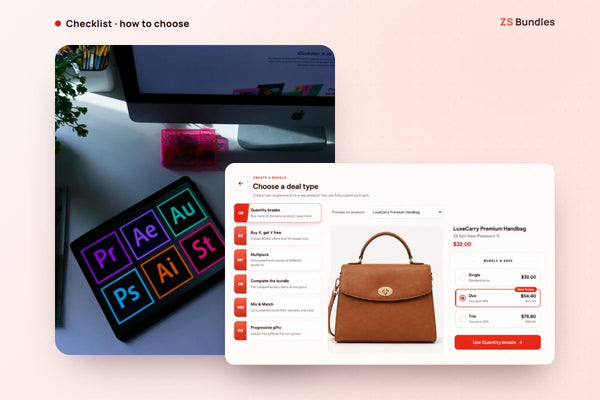
- Create bundle deal → Quantity breaks. The tiers come filled in (Single, Duo 15%, Trio 20%).
- For each tier, choose a percentage, a fixed amount off, or an exact price.
- Choose the products: selected products, a collection or all products. Then Publish.
The tiers show on your product page, and Shopify applies the price at checkout. No discount codes. It uses the products you already have.
See volume discounts on the demo store Install ZS Bundles free
Volume discounts for trade buyers
If your buyers order 10, 25 or 50 at a time across many sizes, tiers on a single product get slow. A bulk order table shows every colour and size on one screen, with milestone discounts as the total grows. It can be limited to customers with a tag such as wholesale. How the bulk order table works.
What it costs
The Free plan includes quantity breaks and every other bundle type, with one bundle live at a time and up to 20 bundle orders a month. Starter is $12.99 a month for 500 bundle orders and unlimited live bundles. Scale is $24.99 for 2,000, and Pro is $49.99. Paid plans have a 14-day free trial, and we set up your first two bundles for free.