Gift with purchase app for Shopify: choosing the gift, the threshold and the rules
A free gift is only worth it if it makes people spend more than it costs you. That depends on three choices: the threshold, the gift and the rules. Get those right and the app part is simple.
For the setup steps, see How to offer a free gift with purchase on Shopify. This guide is about making the offer pay.
The maths of a free gift
Here is the part most stores skip. Example numbers only: your average order is $60, your gross margin is 50%, and you offer a gift that costs you $4 at $75.
- A shopper who adds $15 to reach $75 brings $7.50 of extra margin. Minus the $4 gift, you are $3.50 ahead.
- A shopper who was going to spend $80 anyway gets the gift too. That one costs you $4 and earns nothing extra.
So the gift pays when enough shoppers move up to reach it. Set the threshold too low and you mostly give gifts to people who were already there. Set it too high and few people try. A common starting point is 20 to 30% above your current average order. Then look at the results and move it.
Choosing the gift
- High perceived value, low cost. Minis, samples, a tote, a sticker pack, a spare accessory.
- Related to what they bought. A cleaning cloth with glasses, a scoop with coffee, a toy with pet food.
- Something you have plenty of. Overstock or a slow seller can be a good gift, if it is still something people want.
- Light and small. A gift that doubles the parcel weight eats the margin in shipping.
- Free shipping counts as a gift. It is often the reward people want most, so it works well as the first step.
Rules that stop it being gamed
- The gift leaves when the cart drops. If someone reaches $75, gets the gift, then removes items, the gift should not stay free.
- No codes to share. An automatic reward at checkout cannot be posted on a coupon site.
- Clear wording. Say what counts: "Spend $75 before shipping". Vague rules lead to support emails.
- An end date for promotions. A holiday gift should stop when the holiday offer stops.
What a gift with purchase app must do
- Show the progress. "Add $12 more for a free tote" on the product page and in the cart. Without it, the threshold cannot pull anyone up.
- Add the gift for the shopper. Shopify's built-in way is a Buy X get Y discount with a minimum purchase amount. It works, but the shopper must add the gift to the cart themselves, and many never do.
- Unlock in steps. Free shipping at $50, a gift at $75, a second gift at $100.
- Count the whole cart or one offer. Sometimes you want "spend $75 anywhere", sometimes "buy the 3-pack, get the gift".
- Re-check at checkout. The reward should follow the final cart, not the cart as it was an hour ago.
How ZS Bundles does it
ZS Bundles calls this Progressive gifts. It shows a reward ladder on the product page and tracks progress in the cart.
- Install ZS Bundles, press Turn on in theme, and Save.
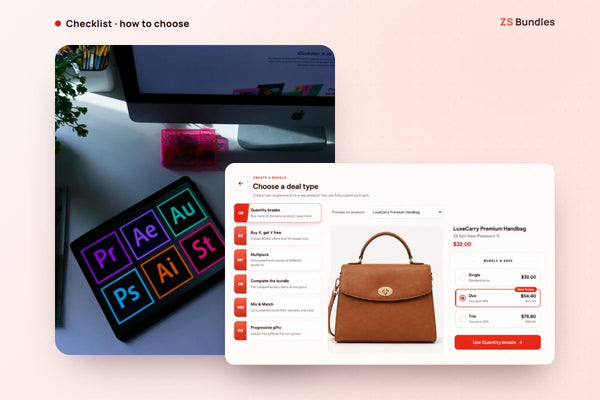
- Create bundle deal → Progressive gifts.
- Add the steps: free shipping or a free product.
- For each step, choose when it unlocks: when the customer picks a tier (for example the 3-pack), or when the order reaches an amount. The amount counts the whole cart, in your shop's currency, before shipping and tax.
- Publish.
Rewards are checked at checkout. If the cart drops below a step, that reward goes away. The gift is a normal product in your store, so publish it and keep it in stock.
See spend thresholds on the demo store Install ZS Bundles free
There is also a tier-based version on the demo store: three pairs of socks get free shipping, five pairs get a free pair. See it here.
Stock tips for the gift
- Estimate how many you will give away. Count last month's orders above the threshold, then add a margin for the shoppers who move up.
- Check stock every few days during a promotion. When the gift runs low, swap it for another product or end the step.
- Do not use your best seller as the gift. Giving away what people would pay for is the expensive option.
What it costs
Progressive gifts are on the Scale plan ($24.99 a month, 2,000 bundle orders, unlimited live bundles), with a 14-day free trial. The Free plan includes the other bundle types, with one bundle live at a time and up to 20 bundle orders a month. We set up your first two bundles for free.